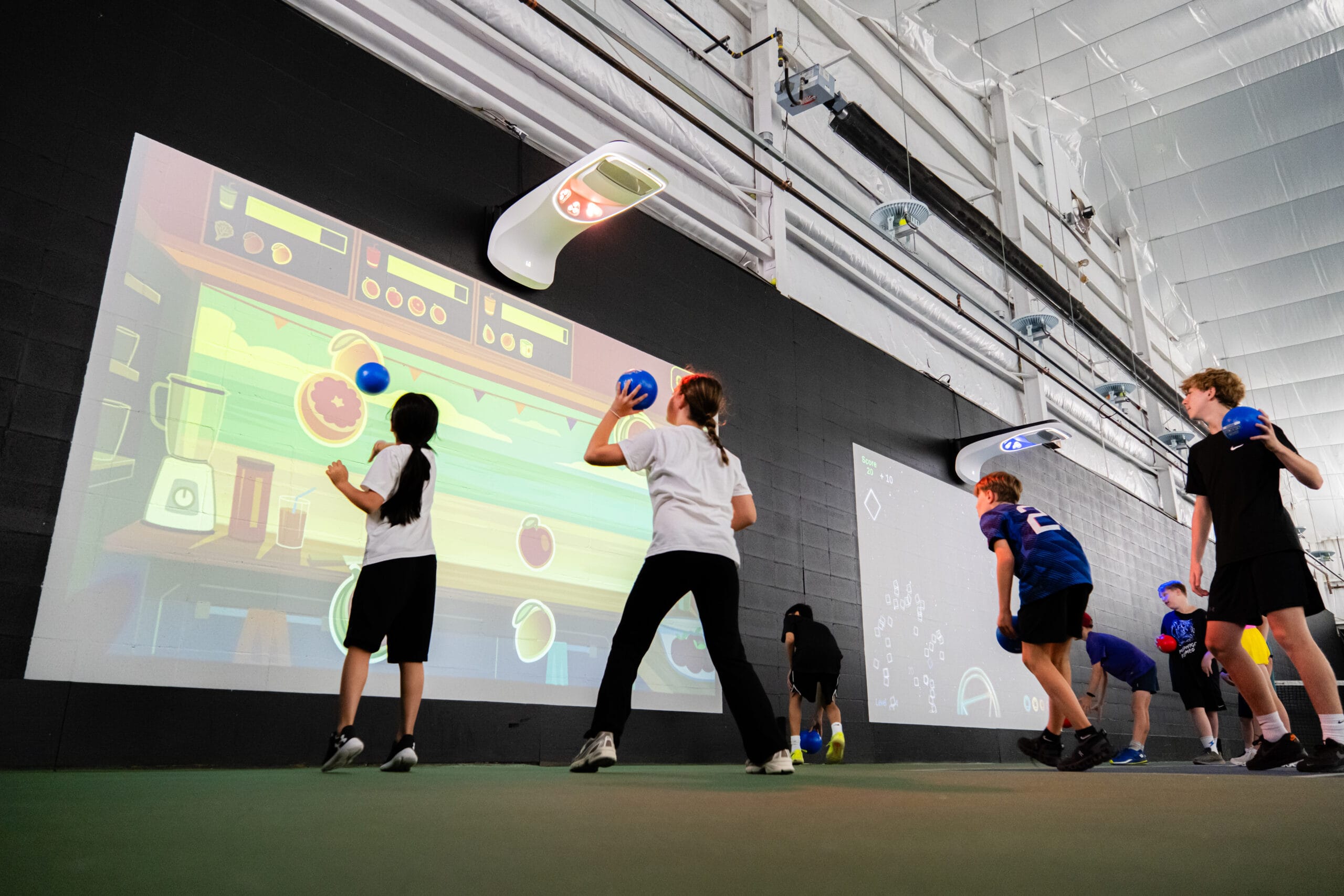

Every school gym, multipurpose room, and community centre is different. Ceiling heights vary. Schedules overlap. And yet, across all these environments, the goal remains the same: get students moving, engaged, and learning through play.
Choosing an interactive learning system means weighing many factors at once, from motion tracking accuracy to content libraries to how quickly a teacher can launch a session. This guide breaks down the criteria that matter most so you can evaluate your options with confidence.
Key Takeaways: What to Look for in Interactive Learning Systems
- Look for motion tracking and audiovisual feedback that keeps every student actively moving during lessons.
- A strong app library with curriculum-aligned content saves PE teachers hours of lesson planning each week.
- Inclusive design matters: the right system adapts activities for students of all ability levels.
- Portability and flexible installation let you use one system across gyms, hallways, and multipurpose rooms.
- Lü gives schools a turnkey solution backed by more than 3,000 installations in over 40 countries.
What Should You Look for When Choosing an Interactive Learning System?
1. Motion Tracking That Responds to Every Student
An interactive learning system should detect and respond to student movement in real time. Motion tracking cameras paired with wall or floor projection create a feedback loop where physical actions produce instant on-screen results and audio cues.
This connection between movement and response helps students stay focused rather than drifting off task. It also lets teachers observe engagement patterns they might miss in a traditional PE setting. Ask vendors how many students the system can track simultaneously and whether tracking remains accurate in rooms with varying lighting conditions or reflective surfaces.
2. Curriculum-Aligned Content Ready to Use on Day One
A system is only as strong as the content it runs. Look for a library of activities mapped to national PE standards and cross-curricular competencies in areas such as STEAM, literacy, and numeracy.
Ready-to-use activity plans save teachers from building lessons from scratch each week, which is especially valuable when preparation time is short. Ask how often the library is updated, whether educators can customise or create their own content, and whether activities align with the specific learning objectives your district requires for reporting purposes.
3. Inclusive Activities That Reach Every Learner
Consider the range of students who enter the gym each class, from competitive athletes to those who feel disconnected from traditional PE. The right system offers adjustable difficulty levels, sensory-friendly modes, and collaborative games where every participant plays a meaningful role regardless of ability.
Inclusion is not an add-on feature. It should be built into every app and activity from the start, so teachers can differentiate naturally without spending extra time planning accommodations for each session or pulling students aside during class.
4. Flexible Installation and Portability
In many schools, the challenges are very real. Shared rooms, limited ceiling height, and multipurpose spaces mean a fixed ceiling-mounted installation may not work for every environment. Look for configurations that offer both permanent and portable options so you can adapt as needs change.
A portable setup that is ready in under five minutes lets you bring interactive learning to hallways, cafeterias, or outdoor areas. Ask whether the system can be moved between rooms on the same day without specialised tools or technical help.
5. Audiovisual Immersion Beyond a Screen
A projector on a wall is not enough on its own. The strongest interactive learning systems combine high-lumen laser projection, synchronised LED lighting, and immersive surround sound to create an environment that captures student attention through multiple senses at once.
This multisensory approach moves students away from passive screen viewing and into active, full-body engagement with the content. Ask whether the system includes lighting and audio as standard equipment rather than optional add-ons. Bundled components tend to work together more reliably than pieced-together setups.
6. Ease of Use for Teachers and Staff
Teachers already have limited preparation time, and adding a new tool should not make that worse. An interactive learning system should be intuitive enough that an educator can launch an activity, manage groups, and adjust settings during a lesson without calling for technical support.
Look for uniform menus, a single interface for all activities, and onboarding resources such as training videos and guided activity plans. If operating the system requires an IT specialist at every session, widespread adoption among your staff will stall.
7. Support for After-School and Community Programming
A strong interactive learning system extends its value well beyond the regular school day. After-school programmes, summer camps, family engagement nights, and community centre activities all benefit from a system that adapts to different age groups, skill levels, and contexts.
Ask whether the content library includes activities designed for mixed-age groups and non-classroom settings such as recreation centres and faith-based facilities. Systems that serve only one use case during regular school hours will limit the return on your investment over the long term.
8. Data and Assessment Tools for Educators
Quantitative feedback helps teachers adjust instruction and report on student progress with real numbers instead of guesswork. Look for built-in tools that track participation rates, movement metrics, and performance across individual activities and over a full term or semester.
This data can support fitness testing, inform differentiated instruction, and give administrators clear evidence of programme impact when they report to school boards. Without built-in assessment features, it becomes much harder to justify the investment or identify where students need additional support.
9. Durability and Long-Term Reliability
School environments are tough on equipment. Balls hit walls. Students bump into surfaces. Dust collects in every corner of a busy gym. An interactive learning system needs to hold up to daily use by hundreds of students across years, not months.
Ask about the projector lifespan, warranty terms, and whether the vendor includes proactive maintenance as part of the support package. Systems built with laser projectors tend to last significantly longer and require far fewer replacements than traditional bulb-based alternatives.
10. Ongoing Support and a User Community
What happens after the installation crew leaves matters just as much as the hardware itself. The right vendor offers dedicated technical support, regular software updates, and access to a peer community where educators share ideas, custom content, and activity plans.
A growing user community means the content library expands organically. Teachers learn from colleagues worldwide and adapt ideas to their own school context. Ask whether ongoing support is included or charged separately, and confirm how often the vendor pushes new content and feature updates.
How Lü Interactive Playground Supports K-12 Schools
Lü Interactive Playground combines projection, motion tracking, LED lighting, and immersive sound into a single turnkey solution installed in more than 40 countries. Configurations such as the ceiling-mounted Üno and the portable Möve let schools choose a setup that matches their space and budget.
Lü gives educators a library of curriculum-aligned apps covering PE, STEAM, and social-emotional learning. Teachers can also create and share their own activities through the Lü Community.
A 2026 study published in Frontiers in Education found that gamified, interactive digital environments showed measurable gains in student engagement and motivation in K-12 settings.
If you are evaluating interactive learning systems for your school or district, reach out to the Lü team to discuss configurations, funding options, and on-site demonstrations.
FAQs About What to Look for in Interactive Learning Systems
What is an interactive learning system?
An interactive learning system uses projection, motion detection, and audiovisual feedback to turn a physical space into an immersive activity environment. Students interact with projected content by moving their bodies rather than sitting at a screen.
These systems are commonly installed in school gyms and multipurpose rooms for PE, STEAM, and social-emotional learning.
How do interactive learning systems support inclusive education?
Strong systems include adjustable difficulty settings, sensory-friendly modes, and collaborative activities where every student can participate. Lü designs each app with multiple access points so teachers can differentiate activities without extra preparation.
Can an interactive learning system be used outside of PE class?
Yes. Many systems offer cross-curricular apps covering subjects like maths, science, and language arts. Schools also use them for after-school programmes, assemblies, family nights, and summer camps.
What kind of space do you need to install an interactive learning system?
Requirements vary by configuration. A ceiling-mounted setup typically needs a clear wall surface of at least 4.2 m by 2.4 m and a ceiling height of 3 m. Portable configurations like Lü's Möve adapt to smaller or temporary spaces and are ready for use in under five minutes.
How does an interactive learning system save teachers time?
Ready-to-use activity plans and guided lesson structures mean teachers can launch engaging sessions without hours of preparation. Lü offers a full library of activities plus tools for group management and assessment, reducing planning time significantly.
What should you ask vendors before purchasing an interactive learning system?
Ask about motion tracking accuracy, content library size, update frequency, installation options, warranty and maintenance terms, and whether the system supports custom content creation. Also confirm whether the vendor offers training and access to a user community.
Could an interactive learning system be the right fit for your school?